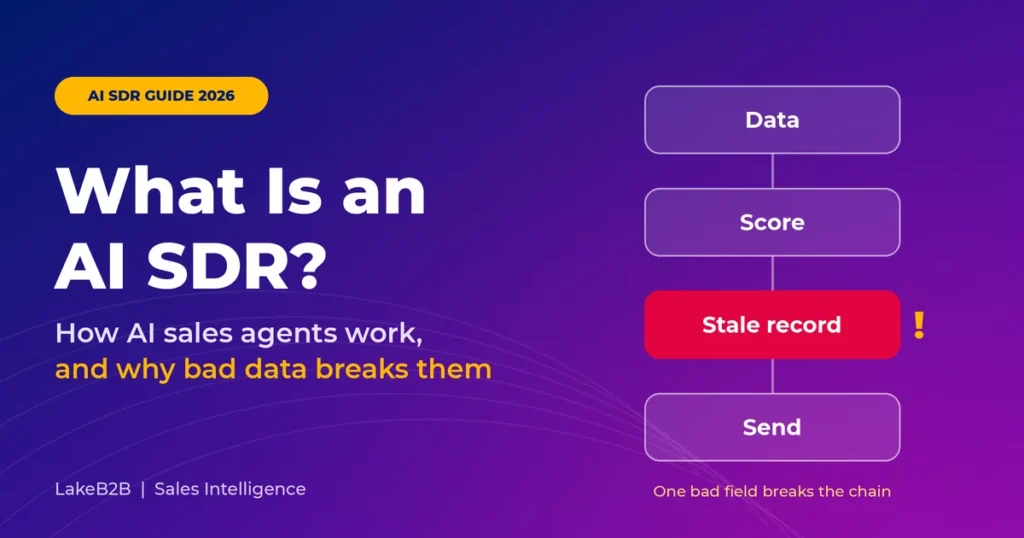
What Is an AI SDR? How AI Sales Agents Work, and Why Bad Data Breaks Them 2026
Summarize with AI
|
Getting your Trinity Audio player ready...
|
Your AI SDR sent 2,000 emails before lunch. One of them congratulated a VP on a promotion she got three years ago. Another landed in the inbox of someone who unsubscribed last month. Every email read well. The data behind them was wrong.
Most AI SDR guides skip that part. This one answers the questions buyers ask most, then shows where bad data breaks an AI SDR and how to fix it.
An AI SDR (artificial intelligence sales development representative) is software that handles early-stage sales work. It researches prospects, ranks leads, writes outreach, answers replies, qualifies interest and passes good opportunities to your sales team. Some AI SDRs only make suggestions, while others act on their own within the limits you set.
- Gmail is stricter. Since November 2025, Google has been rejecting bulk mail that breaks its sender rules, where it used to just send it to spam.
- So is Outlook. Microsoft started bouncing non-compliant bulk mail to Outlook.com, Hotmail.com and Live.com addresses in May 2025.
- Everyone has an “agent” now. Many tools now call themselves AI SDRs, so check what each one really does on its own.
What is an AI SDR?
Think of an AI SDR as a system rather than a robot employee. It pairs a large language model (LLM) that writes and reasons with lead scoring, data enrichment, CRM connections and approval rules. IBM’s overview of AI SDRs describes the same building blocks.
SDR stands for sales development representative. That’s the person who researches accounts, opens conversations and books meetings for account executives. An AI SDR picks up the repetitive parts of that job. You’ll also hear it called an AI SDR agent, an AI sales agent or a virtual SDR.
Most products are outbound (prospecting), inbound (fast replies to forms and chats), hybrid, a copilot that needs approval for every send, or agentic, running whole workflows within set limits. Labels are loose, so ask vendors which actions happen without a human signing off.
How does an AI SDR work?
Every AI SDR moves through roughly eight steps, and the AI model itself only handles two of them. The other six depend on your data, your rules and your integrations, and that’s usually where things go wrong.
- Set the ICP and permissions: who to target, who to skip and what the agent may do.
- Gather candidates from your CRM, inbound forms and lawful B2B data sources.
- Check identities: right company, current role, valid email, no duplicates or opt-outs.
- Score fit and intent with clear weights. This fit and intent segmentation roadmap is a good starting model.
- Build the context the model writes from, using only facts you can trace.
- Draft an email or pick an action once a policy check confirms permission and timing.
- Send and sort the replies without breaking frequency caps.
- Hand off and learn. Pass qualified meetings to sellers and record what happened.
Inbound AI SDRs mostly buy you speed. Outbound ones live or die on contact data, so bad data hurts them most.
Why does bad data break AI SDRs?
Because an AI SDR multiplies whatever it’s given. A single wrong field leads to the wrong target, a confident email built on a false fact, bounces and complaints, lower reach and, finally, CRM data that teaches the system the wrong lesson.
Here’s how that plays out. Your CRM lists Priya as Director of IT, but she left eight months ago. The agent ranks her highly and writes a friendly note about her “current” project. The email bounces, her replacement never hears from you, and the account gets marked cold. The model did its job well. It just had no way of knowing the fact was wrong.
| Data failure | What you’ll notice | How to fix it |
|---|---|---|
| Stale job or role | “Congrats on the new role” to someone who left | Verify current employment |
| Invalid email | Hard bounces and a weaker sender reputation | Verify before every send |
| Duplicates | Two sequences hitting one person | Deduplicate with unique IDs |
| Weak intent signal | Awkward “saw you researching” lines | Track where each signal came from |
| Unsynced opt-out | Emails after someone unsubscribed | Keep one central suppression list |
| No source trail | Made-up facts in outreach | Block claims without evidence |
Big lists can hide the problem. In this simple example, three everyday checks knock out almost four in ten records:
So when you buy or audit a list, ask how many records pass every check at once. And remember that a verified email only proves the address exists, not that the person still works there.
What data does an AI SDR need?
It needs current contact, company, technology, intent and first-party data, and each fact should carry a source and a date. If you can’t say where a detail came from or when someone last checked it, keep it out of your emails.
This guide to what B2B data is and how its types fit together is a handy refresher. Then run every record through seven gates before the agent can use it:
Gate two is where most teams bring in an enrichment partner, and this guide to choosing a B2B data enrichment service explains what to look for. Also give the agent hard stops: no sending to unverified people, past objectors, bounced addresses or anyone already in a sequence.
What email rules apply to AI SDRs?
The same rules that apply to any commercial email. An AI writing the message doesn’t change anything, and your company is still responsible even when a vendor’s agent hits send.
- Gmail: Google’s email sender guidelines ask bulk senders for SPF, DKIM and DMARC, one-click unsubscribe and a spam rate under 0.10%. Hitting 0.30% is a red line.
- Outlook: Microsoft applies similar rules to its consumer inboxes and has been rejecting mail that fails them since May 2025.
- United States: the FTC’s CAN-SPAM guide applies to B2B email too. You need honest headers, a postal address and an opt-out that works.
- EU and UK: GDPR and ePrivacy rules differ from country to country, so check with a local adviser.
Track bounces, complaints and replies. Open rates are too unreliable now.
AI SDR vs human SDR: which is better?
For most teams, the answer is both. Let the AI handle research, drafting and sorting replies, and keep people in charge of key accounts, tricky conversations and handoffs.
| Task | AI SDR | Human SDR |
|---|---|---|
| Research at volume | Fast, if the data is clean | Slower, with better judgment |
| Personalization | Scales well, can invent details | Nuanced and self-checking |
| Objections and politics | Needs to escalate | A real strength |
| Mistakes | One error repeats at scale | Errors stay small |
How do you choose an AI SDR tool?
Test it on your own data. Give every vendor the same messy sample, with duplicates, people who changed jobs, catch-all emails and an unsubscribe request, and see what each tool gets wrong.
Also ask how they keep data fresh, how fast opt-outs sync, which actions skip approval and what the full cost is once data and human review are included.
How do you measure AI SDR ROI?
Track the cost of each held, sales-accepted meeting and the pipeline those meetings create. Emails sent and meetings booked look good on a dashboard, but they don’t pay the bills.
A quick hypothetical: a program costing $8,000 a month that produces 40 held meetings works out to $200 a meeting. Whether that’s a good return depends on the revenue that follows. Compare results with a matched group of accounts the AI didn’t touch.
How should you roll out an AI SDR?
Slowly, in stages, over about 90 days. Start with measurement, run a small supervised pilot, and only give the agent more freedom in the areas where it has already proven accurate.
AI SDR FAQs
Can AI SDRs replace human SDRs?
They can take over a lot of the routine work, like research, first drafts, follow-ups and CRM updates. They can’t replace judgment or relationships, though, so most teams do best with a mix of both. A small pilot will show you the right balance.
Does an AI SDR need a database?
Yes. It needs accurate, up-to-date contact and company data, your ICP rules, opt-out status and CRM ownership details. Without good data, it has nothing reliable to work from.
Does email verification guarantee delivery?
No. Verification tells you an address exists. Whether your email reaches the inbox depends on your sender reputation and setup, and verification can’t tell you if the person still holds that job.
Can an AI SDR qualify leads?
Yes, up to a point. It can use frameworks like BANT or MEDDICC on clear answers and route leads to the right person. Anything unclear or high-value should still go to someone on your team.
How much does an AI SDR cost?
It varies a lot. Most pricing is split across licenses, data credits, sending tools, integrations and the time people spend reviewing output. Compare the total cost rather than the license fee alone.
How do you stop an AI SDR from making things up?
Feed it verified facts only, require a source for every claim, limit what it’s allowed to say and send anything uncertain to a person. That cuts the risk a lot, though it never drops to zero.
The bottom line
An AI SDR is only as good as the data and permissions you give it. The smart question for 2026 isn’t how many emails it can send. It’s how many real conversations turn into meetings your sales team actually accepts, without burning trust along the way.
Try this first: pull 100 random records from the list your AI SDR will start with and run each one through the seven gates. The share that passes all of them is your real usable-contact rate, and it’ll tell you more than any vendor demo.
Table of Contents
Ready to turn insights into pipeline?
LakeB2B helps you find, enrich, and connect with verified B2B contacts using accurate data, intent signals, and audience intelligence so your sales and marketing teams can reach the right decision-makers with confidence.